




Introduction
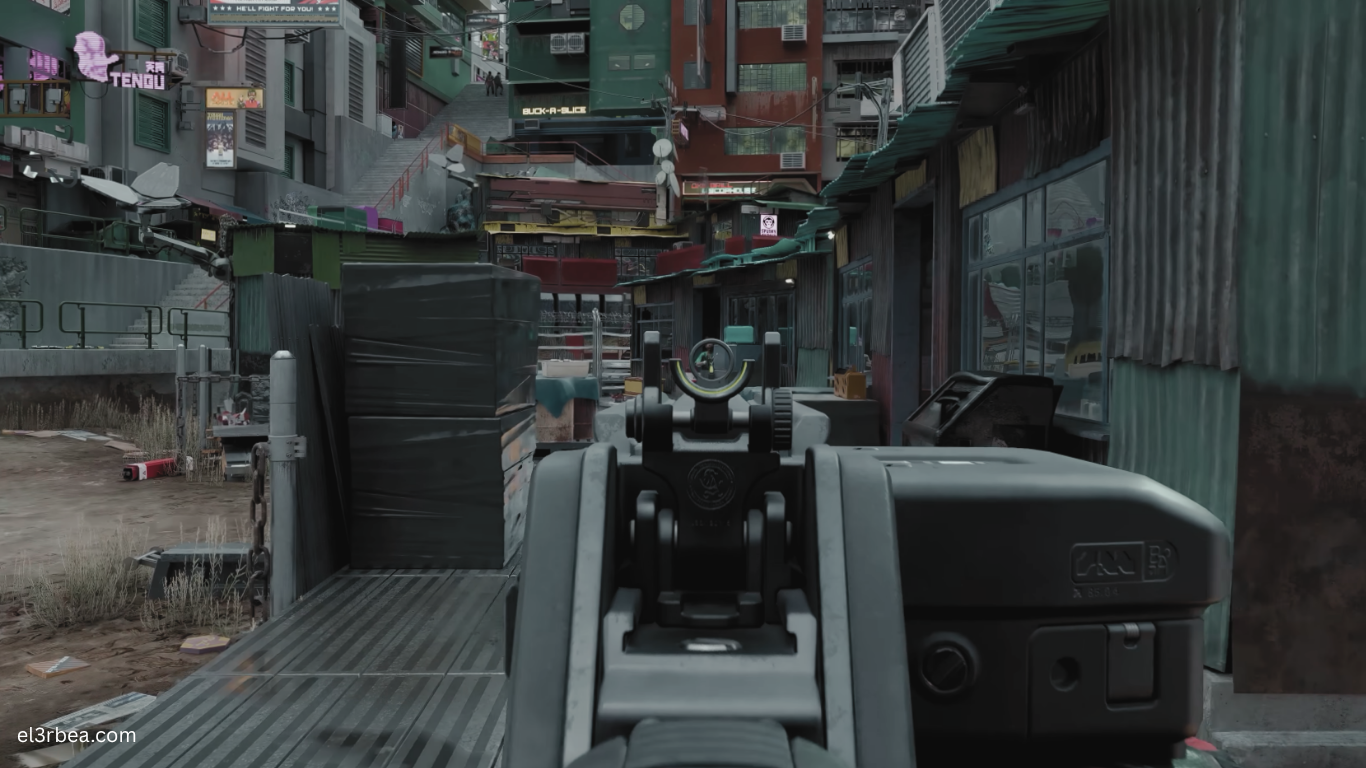
Cyberpunk 2077 is an open-world action RPG developed by CD Projekt Red, powered by the company’s advanced REDengine 4. Following years of updates—including the massive Update 2.0, the Phantom Liberty expansion, and extensive performance optimizations—the game has become one of the most visually impressive PC titles available. From densely populated streets and realistic lighting to advanced ray tracing and AI-driven NPC behavior, every element pushes modern hardware to its limits.
Because Cyberpunk 2077 offers a wide range of graphics settings, the experience can vary dramatically depending on your system. Players with entry-level hardware can still enjoy Night City at modest settings, while high-end gaming PCs can take advantage of Ultra graphics, ray tracing, DLSS, Frame Generation, and even full Ray Tracing: Overdrive Mode.
Before purchasing or reinstalling the game, it’s important to compare your hardware with the official system requirements. A balanced combination of CPU, GPU, RAM, and SSD storage ensures smoother gameplay, shorter loading times, and fewer performance issues, especially in busy urban environments where CPU and storage speed play a major role.
Minimum System Requirements
The following specifications are based on CD Projekt Red’s official PC requirements for Cyberpunk 2077.
| Component | Minimum Requirement |
|---|---|
| Operating System | Windows 10 64-bit |
| Processor (CPU) | Intel Core i7-6700 or AMD Ryzen 5 1600 |
| Graphics Card (GPU) | NVIDIA GeForce GTX 1060 6GB, GTX 1650 Super, or AMD Radeon RX 580 8GB |
| Memory (RAM) | 12 GB |
| DirectX | Version 12 |
| Storage | 70 GB SSD |
| Target Performance | 1080p Low Settings (approximately 30 FPS) |
Although the game technically runs on this hardware, players should expect reduced visual quality, lower frame rates in crowded areas, and limited ray tracing support.
Installing the game on an SSD is strongly recommended. Traditional hard drives can lead to longer loading times and slower texture streaming.
Recommended System Requirements
For players seeking 1080p High settings with a stable 60 FPS, the following hardware offers an excellent balance between performance and image quality.
| Component | Recommended Requirement |
|---|---|
| Operating System | Windows 10 or Windows 11 64-bit |
| Processor (CPU) | Intel Core i7-12700 or AMD Ryzen 7 7800X3D |
| Graphics Card (GPU) | NVIDIA GeForce RTX 4070 or AMD Radeon RX 7800 XT |
| Memory (RAM) | 32 GB |
| DirectX | DirectX 12 Ultimate |
| Storage | 70 GB NVMe SSD |
| Target Performance | 1080p/1440p High Settings at 60+ FPS |
Players using GPUs that support NVIDIA DLSS, AMD FidelityFX Super Resolution (FSR), or Intel XeSS can significantly increase performance while maintaining excellent visual quality.
For enthusiasts interested in Ray Tracing Ultra or Ray Tracing Overdrive, considerably more powerful graphics cards—such as the RTX 4080, RTX 4090, or newer equivalents—are recommended.
Mobile Optimization and Performance Tips
Is Cyberpunk 2077 Available on Android or iPhone?
Cyberpunk 2077 does not have an official Android or iOS version.
Although cloud gaming services may allow the game to be streamed to supported mobile devices, there is currently no native mobile release. Be cautious of unofficial APK files or websites claiming to offer Cyberpunk 2077 for smartphones, as they are not legitimate.
Three Quick PC Settings to Boost FPS
If you’re experiencing lower frame rates, these adjustments can provide noticeable improvements without dramatically reducing image quality.
1. Enable DLSS, FSR, or XeSS
Upscaling technologies deliver one of the largest performance improvements available.
Depending on your graphics card:
- NVIDIA RTX GPUs: Enable DLSS
- AMD GPUs: Enable FSR
- Intel Arc GPUs: Enable XeSS
These technologies can increase FPS while preserving impressive image quality.
2. Lower Volumetric Settings
Volumetric Fog and Volumetric Cloud Quality are among the game’s most demanding graphical options.
Reducing these settings from Ultra to Medium often provides a substantial FPS increase with minimal visual impact during normal gameplay.
3. Reduce Crowd Density
Night City’s population places significant strain on the CPU.
Lowering the Crowd Density option improves performance, especially in busy districts and during high-speed driving, making it one of the most effective optimizations for mid-range processors.
Conclusion
Cyberpunk 2077 has evolved into one of the best-looking and most technically advanced RPGs available on PC, but it also demands capable hardware to deliver its full visual potential. Thanks to years of optimization, the game now scales well across a wide range of systems, allowing both budget and enthusiast PCs to enjoy Night City with the right graphics settings.
For the best experience, prioritize a modern six-core or eight-core processor, at least 16 GB of RAM (32 GB recommended for newer systems), a dedicated DirectX 12 graphics card, and an NVMe SSD. Players interested in ray tracing should also consider an RTX-class GPU or an equivalent AMD graphics card that supports modern rendering technologies.
Before upgrading your hardware, compare your current specifications with the official requirements and adjust in-game settings to match your system’s capabilities. A few carefully chosen optimizations can often deliver smoother gameplay without sacrificing visual quality.
What’s your current gaming setup? Share your CPU, GPU, RAM, and target resolution in the comments to see how your PC compares with other Cyberpunk 2077 players.