
Introduction
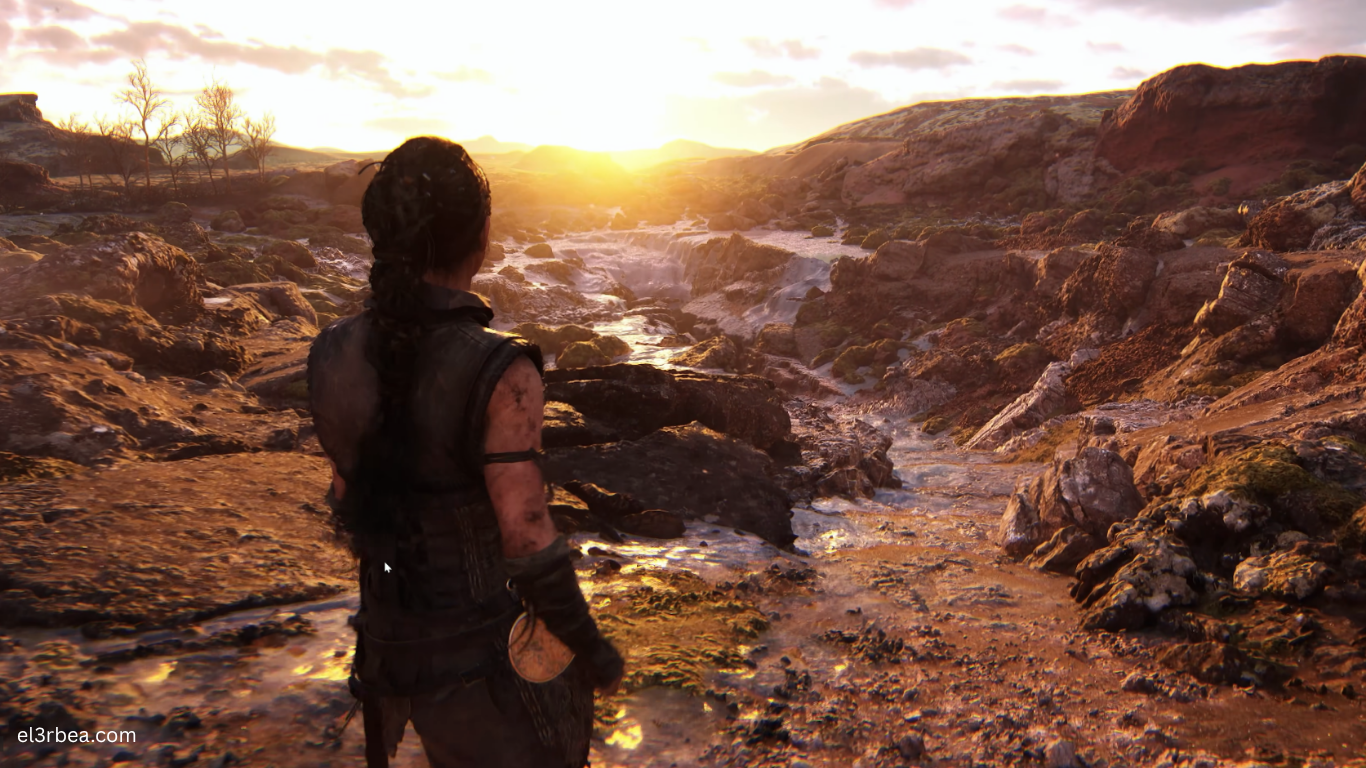
Senua’s Saga: Hellblade II is a cinematic action-adventure game developed by Ninja Theory and powered by Unreal Engine 5. Designed to showcase the capabilities of current-generation hardware, the game features photorealistic character models, advanced facial animation, dynamic global illumination using Lumen, highly detailed environments with Nanite geometry, and immersive spatial audio. Every technical element works together to create one of the most visually impressive experiences available on PC.
Unlike fast-paced competitive games where extremely high frame rates are the primary goal, Hellblade II focuses on cinematic presentation and visual fidelity. Even so, smooth performance remains essential for maintaining immersion during exploration, puzzle-solving, and combat. Because the game relies heavily on Unreal Engine 5 technologies, it places significant demands on both the processor and graphics card, while fast SSD storage helps reduce loading times and improve asset streaming.
Before installing the game, it’s important to compare your PC with the official hardware requirements. Whether you’re aiming for a playable experience at 1080p or planning to enjoy the game’s breathtaking visuals at High or Ultra settings, understanding your system’s capabilities will help you achieve the best balance between image quality and performance.
Minimum System Requirements
The following specifications are based on the official PC requirements published by Ninja Theory.
| Component | Minimum Requirement |
|---|---|
| Operating System | Windows 10 or Windows 11 64-bit |
| Processor (CPU) | Intel Core i5-8400 or AMD Ryzen 5 2600 |
| Graphics Card (GPU) | NVIDIA GeForce GTX 1070, AMD Radeon RX 5700, or Intel Arc A580 |
| Memory (RAM) | 16 GB |
| DirectX | Version 12 |
| Storage | 70 GB SSD |
| Target Performance | 1080p Low Settings at approximately 30 FPS |
These specifications should provide a playable experience at lower graphical settings. Because the game continuously streams detailed textures and environmental assets, installing it on an SSD is strongly recommended. Traditional hard drives may lead to noticeably longer loading times and occasional streaming delays.
Recommended System Requirements
For players targeting 1080p High settings at approximately 60 FPS, the following hardware offers an excellent balance between visual quality and performance.
| Component | Recommended Requirement |
|---|---|
| Operating System | Windows 10 or Windows 11 64-bit |
| Processor (CPU) | Intel Core i7-10700K or AMD Ryzen 5 5600X |
| Graphics Card (GPU) | NVIDIA GeForce RTX 3080, AMD Radeon RX 6800 XT, or Intel Arc A770 |
| Memory (RAM) | 16 GB (32 GB recommended for multitasking and future-proofing) |
| DirectX | Version 12 |
| Storage | 70 GB NVMe SSD |
| Target Performance | 1080p High Settings at approximately 60 FPS |
If you plan to play at 1440p, 4K, or with maximum-quality settings, newer graphics cards such as the RTX 4070 Super, RTX 4080 Super, RTX 4090, or equivalent Radeon GPUs will provide a smoother experience. Enabling technologies like NVIDIA DLSS, AMD FSR, or Intel XeSS can further improve performance while maintaining impressive image quality.
Mobile Optimization and Performance Tips
Is Senua’s Saga: Hellblade II Available on Android or iPhone?
No. Senua’s Saga: Hellblade II is not available as a native Android or iOS game. It was developed for Windows PCs and Xbox Series X|S, with no official mobile version announced.
Avoid downloading unofficial APK files or apps claiming to offer the game on smartphones, as these are not legitimate releases.
Three Quick PC Tips to Improve FPS
If your hardware struggles to maintain smooth performance, these optimizations can make a noticeable difference.
1. Enable DLSS, FSR, or XeSS
Modern upscaling technologies significantly improve frame rates.
- NVIDIA RTX GPUs: Enable DLSS
- AMD Radeon GPUs: Enable FSR
- Intel Arc GPUs: Enable XeSS
These features render the game internally at a lower resolution before intelligently reconstructing the final image, offering better performance with minimal visual compromise.
2. Lower Global Illumination and Shadow Quality
Lighting and shadows are among the most demanding settings in Unreal Engine 5.
Reducing these options from Ultra to High or Medium often provides a substantial FPS increase while preserving most of the game’s visual atmosphere.
3. Install the Game on an NVMe SSD
An NVMe SSD offers faster read speeds than a standard SATA SSD, helping reduce loading times, improve texture streaming, and minimize traversal stutter in highly detailed environments.
It’s also a good idea to keep your graphics drivers up to date and close unnecessary background applications before launching the game.
Conclusion
Senua’s Saga: Hellblade II is one of the finest technical showcases of Unreal Engine 5, delivering cinematic visuals, realistic environments, and cutting-edge rendering technologies that set a new benchmark for modern action-adventure games. Those visual achievements also mean the game benefits greatly from capable PC hardware, especially if you’re targeting High settings or higher resolutions.
For the best experience, aim for at least 16 GB of RAM, a modern six-core or eight-core processor, a dedicated DirectX 12 graphics card, and an SSD—preferably an NVMe drive. Players interested in maximizing visual fidelity should also consider a recent RTX or Radeon GPU that supports advanced upscaling technologies such as DLSS or FSR.
Before starting Senua’s journey, compare your system against the official requirements, update your graphics drivers, and fine-tune the in-game settings to match your hardware. A few targeted adjustments can deliver noticeably smoother gameplay while preserving the immersive presentation that makes Hellblade II so memorable.
What PC will you be using to play Senua’s Saga: Hellblade II? Share your CPU, GPU, RAM, and target resolution in the comments below to compare your setup with other players and discuss the best graphics settings for your hardware.