
Introduction
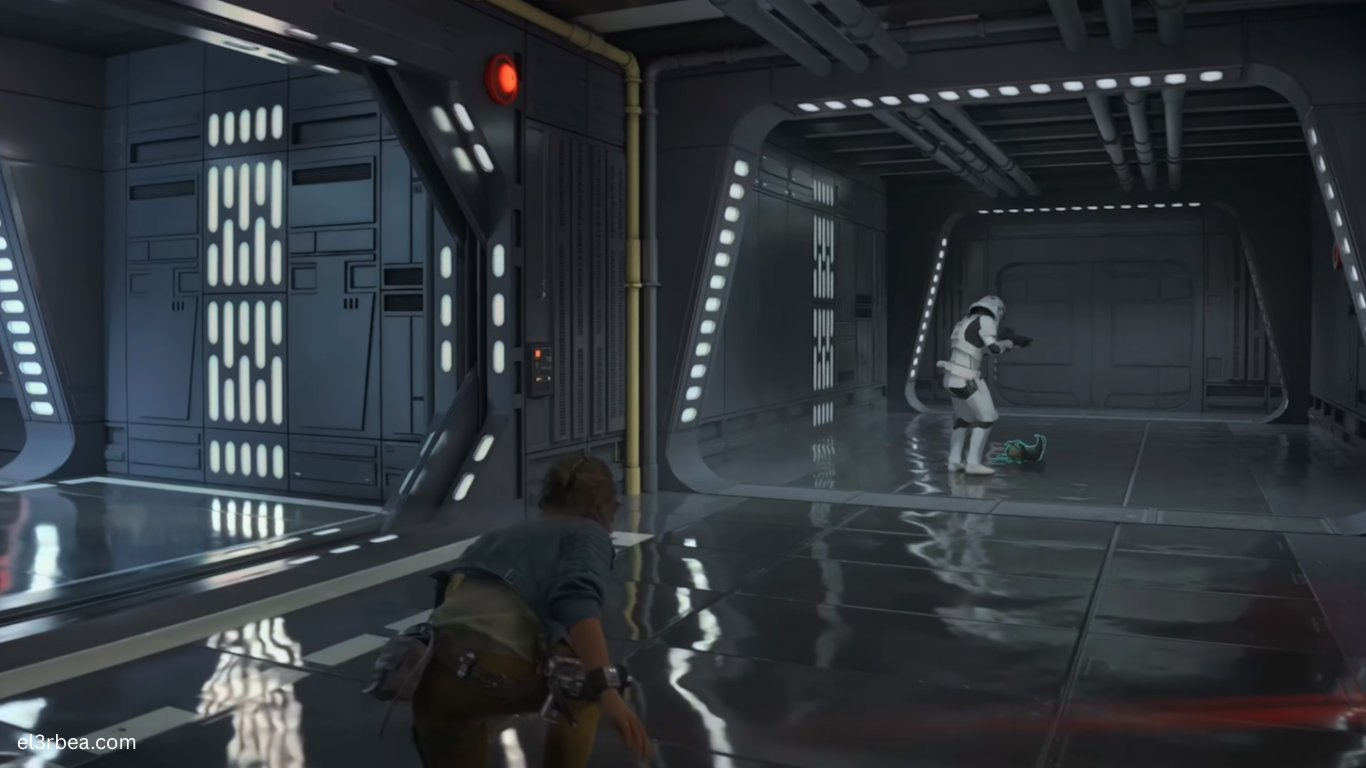
Star Wars Outlaws is Ubisoft’s open-world action-adventure game developed by Massive Entertainment in collaboration with Lucasfilm Games. Powered by the latest version of the Snowdrop Engine, the game delivers expansive planets, dense cities, seamless space travel, cinematic lighting, and highly detailed character models. The engine also supports advanced rendering technologies such as real-time ray tracing, global illumination, volumetric effects, and modern upscaling solutions, making Star Wars Outlaws one of Ubisoft’s most technically ambitious PC releases.
Unlike linear action games, Star Wars Outlaws continuously streams massive environments while simulating NPC activity, wildlife, weather, and dynamic encounters. This places considerable demand on both the processor and graphics card. Fast SSD storage is equally important, as it minimizes loading times and ensures smooth asset streaming while exploring planets and transitioning between ground and space.
Before purchasing or downloading the game, comparing your PC against the official hardware requirements can help prevent performance issues and ensure a smoother experience. Whether your goal is 1080p gameplay or ultra-quality visuals at higher resolutions, understanding the recommended specifications allows you to choose the right graphics settings for your system.
Minimum System Requirements
The following specifications are based on the official PC requirements published by Ubisoft.
| Component | Minimum Requirement |
|---|---|
| Operating System | Windows 10 or Windows 11 64-bit |
| Processor (CPU) | Intel Core i7-8700K or AMD Ryzen 5 3600 |
| Graphics Card (GPU) | NVIDIA GeForce RTX 2060 8GB or AMD Radeon RX 6600 XT 8GB |
| Memory (RAM) | 16 GB |
| DirectX | DirectX 12 |
| Storage | 65 GB SSD |
| Target Performance | 1080p Low Settings at approximately 30 FPS |
These specifications are intended for entry-level gameplay. Ubisoft recommends installing the game on an SSD, as mechanical hard drives may lead to longer loading times and inconsistent texture streaming during exploration.
Recommended System Requirements
For players targeting 1080p High settings at around 60 FPS, the following hardware provides a strong balance between image quality and performance.
| Component | Recommended Requirement |
|---|---|
| Operating System | Windows 10 or Windows 11 64-bit |
| Processor (CPU) | Intel Core i5-10400 or AMD Ryzen 5 5600X |
| Graphics Card (GPU) | NVIDIA GeForce RTX 3060 Ti 8GB or AMD Radeon RX 6700 XT 12GB |
| Memory (RAM) | 16 GB |
| DirectX | DirectX 12 Ultimate |
| Storage | 65 GB NVMe SSD |
| Target Performance | 1080p High Settings at approximately 60 FPS |
Players planning to game at 1440p, Ultra settings, or 4K resolution should consider more powerful graphics cards such as the RTX 4070 Super, RTX 4080 Super, Radeon RX 7900 XT, or newer equivalents. Enabling NVIDIA DLSS, AMD FSR, or Intel XeSS can provide significant performance gains while maintaining excellent visual quality.
Mobile Optimization and Performance Tips
Is Star Wars Outlaws Available on Android or iPhone?
No. Star Wars Outlaws is not available as a native Android or iOS game. The game was developed for Windows PC, PlayStation 5, and Xbox Series X|S.
Players should avoid unofficial APK downloads or websites claiming to provide a mobile version, as no legitimate Android or iPhone release has been announced.
Three Quick PC Tips to Boost FPS
1. Enable DLSS, FSR, or XeSS
Modern AI upscaling technologies are among the easiest ways to improve performance.
- NVIDIA RTX GPUs should enable DLSS.
- AMD Radeon users can use FSR.
- Intel Arc owners can enable XeSS.
These technologies often deliver substantial frame rate improvements with minimal impact on image quality.
2. Reduce Ray Tracing and Volumetric Lighting
Ray tracing and volumetric effects are some of the most demanding graphical settings in Snowdrop Engine.
Lowering these options from Ultra to High can significantly improve frame rates while preserving the game’s cinematic presentation.
3. Use an NVMe SSD and Update Drivers
Installing Star Wars Outlaws on an NVMe SSD improves world streaming, reduces loading times, and minimizes traversal stuttering.
For the best overall performance, update your graphics drivers before launching the game and close unnecessary background applications that consume CPU or memory resources.
Conclusion
Star Wars Outlaws is one of Ubisoft’s most technically advanced open-world games, combining expansive planetary exploration with cinematic storytelling and modern rendering technologies. Its detailed environments and dynamic world simulation make it more demanding than many previous Ubisoft releases, particularly at higher resolutions or with advanced visual features enabled.
To enjoy a smooth experience, players should have at least 16 GB of RAM, a modern six-core processor, a dedicated DirectX 12 graphics card, and an SSD. For High settings at 60 FPS or beyond, upgrading to a newer RTX or Radeon GPU and installing the game on an NVMe SSD will provide a noticeable improvement in both performance and responsiveness.
Before starting your adventure across the galaxy, compare your hardware against the official system requirements, install the latest graphics drivers, and fine-tune graphics settings to match your PC. Small adjustments to ray tracing, shadows, and upscaling options can often deliver significantly smoother gameplay without sacrificing the immersive visual experience that defines Star Wars Outlaws.
Planning to play Star Wars Outlaws on PC? Share your CPU, GPU, RAM, and monitor resolution in the comments below to compare your setup with other players and discuss the best graphics settings for your hardware.