
Introduction
For many PC gamers, upgrading to a 144Hz gaming monitor delivers one of the most noticeable improvements in overall gameplay. Compared to traditional 60Hz displays, a 144Hz monitor offers significantly smoother motion, lower perceived input lag, and a more responsive gaming experience. Whether you’re competing in Counter-Strike 2, Valorant, PUBG: Battlegrounds, Call of Duty: Warzone, or simply enjoying fast-paced single-player titles, a higher refresh rate can make gameplay feel more fluid and immersive.
The good news is that achieving this level of performance no longer requires spending a premium price. Manufacturers such as AOC, MSI, LG, ASUS, Gigabyte, Acer, ViewSonic, Samsung, and Dell now offer affordable 144Hz and even 165Hz gaming monitors that deliver impressive image quality without stretching your budget.
Rather than reviewing a single display, this guide evaluates the current generation of best budget 144Hz gaming monitors available in 2026. We’ll examine the key features buyers should prioritize, discuss real-world gaming performance, and explain whether an affordable high-refresh-rate monitor is still one of the smartest upgrades for PC gamers.
Key Technical Specifications
Although specifications vary between brands, most highly rated budget 144Hz gaming monitors share a similar feature set.
| Feature | Typical Budget 144Hz Gaming Monitor |
|---|---|
| Screen Size | 24 to 27 inches |
| Panel Type | Fast IPS or VA |
| Resolution | 1920 × 1080 (Full HD) |
| Refresh Rate | 144Hz to 180Hz |
| Response Time | 1 ms (MPRT) or 1–4 ms (GtG) |
| Adaptive Sync | AMD FreeSync Premium / NVIDIA G-SYNC Compatible |
| Brightness | 250–350 nits |
| HDR Support | HDR10 (Entry Level on selected models) |
| Ports | DisplayPort 1.4, HDMI 2.0, Headphone Jack |
| VESA Mount | Yes (100 × 100 mm) |
| Speakers | Available on some models |
| Weight | Approximately 3–5 kg |
Popular models in this category include the AOC 24G4, MSI G244F E2, Gigabyte GS27F, LG UltraGear 24GS60F, and ASUS TUF VG249Q3A, all of which offer an excellent balance of price and performance.
Design, Comfort, and Build Quality
Budget gaming monitors have improved dramatically over the last few years. While premium models still offer more luxurious materials and advanced ergonomics, today’s affordable options provide surprisingly solid build quality.
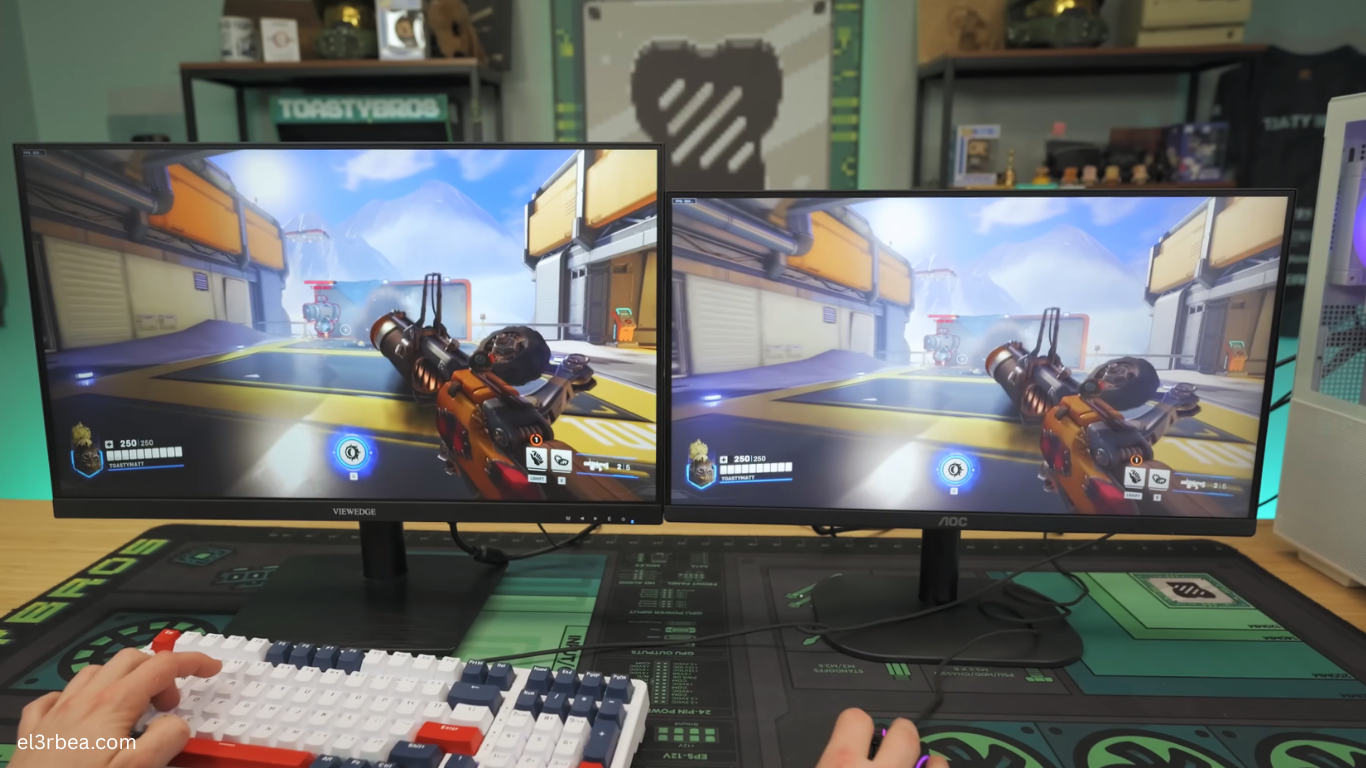
Most models feature slim bezels that make multi-monitor setups look clean and modern. The matte anti-glare coating effectively reduces reflections without noticeably affecting image sharpness, making these monitors comfortable to use in both bright and dimly lit rooms.
The included stands are generally stable, although budget models often limit ergonomic adjustments. Many allow tilt adjustment, while only selected models include height, swivel, or pivot functionality. Fortunately, VESA mounting support is widely available, allowing users to attach the monitor to an adjustable arm if greater flexibility is needed.
Fast IPS panels have become increasingly common in this price range. Compared to older TN displays, they offer significantly better viewing angles, improved color accuracy, and stronger overall image quality while maintaining fast response times. VA panels remain an attractive alternative for players who prioritize deeper blacks and higher contrast, particularly for immersive single-player games.
During extended gaming sessions, eye comfort is enhanced by features such as flicker-free backlighting and low blue light modes. These technologies help reduce eye strain without noticeably compromising image quality.
Overall, build quality is more than satisfactory considering the affordable pricing. While premium materials are understandably absent, most budget 144Hz monitors feel durable enough for years of regular use.
In-Game Performance and Features
The transition from a standard 60Hz display to a 144Hz gaming monitor is immediately noticeable.
Motion appears significantly smoother, camera movement feels more natural, and aiming becomes more precise thanks to reduced motion blur and lower input latency.
In PUBG: Battlegrounds, spotting distant enemies while tracking moving targets becomes easier because object movement appears much clearer. Fast mouse movements feel more responsive, particularly during close-range engagements.
Competitive shooters such as Call of Duty: Warzone, Counter-Strike 2, Valorant, and Rainbow Six Siege benefit tremendously from higher refresh rates. When paired with a capable graphics card capable of consistently exceeding 144 FPS, gameplay feels remarkably fluid and responsive.
Adaptive Sync technologies such as AMD FreeSync Premium and NVIDIA G-SYNC Compatible support further improve the experience by reducing screen tearing and minimizing stuttering during fluctuating frame rates.
Many gaming monitors also include dedicated gaming features such as:
- Black Equalizer for improved visibility in dark environments
- Crosshair overlays
- FPS counters
- Motion blur reduction
- Shadow enhancement
- Multiple gaming picture presets
Although these features won’t dramatically improve player skill, they offer useful customization options for different gaming genres.
Color performance has also improved considerably. Modern Fast IPS displays cover a large percentage of the sRGB color space, making them suitable not only for gaming but also for media consumption, casual photo editing, and general productivity.
Pros and Cons & Final Verdict
Pros
- Outstanding value, offering smooth 144Hz gameplay at an affordable price.
- Fast IPS panels provide excellent color accuracy, wide viewing angles, and low response times.
- Adaptive Sync support minimizes screen tearing and improves overall gaming smoothness.
Cons
- Budget models often include limited ergonomic stand adjustments.
- HDR support is generally basic and does not match premium HDR displays.
- Build materials are mostly plastic rather than metal.
Final Verdict
Budget 144Hz gaming monitors have reached a level where they deliver exceptional gaming performance without requiring a premium investment. For competitive players, upgrading from a 60Hz display remains one of the most impactful improvements available, often providing a more noticeable difference than upgrading individual PC components.
Most gamers should look for a 24-inch or 27-inch Fast IPS monitor, Full HD resolution, Adaptive Sync support, and at least a 144Hz refresh rate. These features provide an excellent balance of performance, image quality, and affordability for modern esports and AAA titles alike.
Whether you’re playing PUBG: Battlegrounds, Call of Duty: Warzone, Counter-Strike 2, Valorant, or simply want a smoother everyday desktop experience, a budget 144Hz monitor remains one of the best hardware investments you can make.
Overall Rating: 9.3/10
For gamers seeking maximum performance without overspending, today’s best budget 144Hz gaming monitors offer remarkable value and continue to be among the smartest upgrades for any gaming setup.